
ElevenBack LLC
Network Trouble Checker
iPhone & iPad / Free to use
Internet trouble?
Start with the symptom.
Slow Wi-Fi, a site that will not open, or a missing local device. Choose the symptom to check your connection and see likely causes and what to try next.
- PRICE
- Free, with ads
- ACCOUNT
- Not required
- DEVICE
- iPhone & iPad
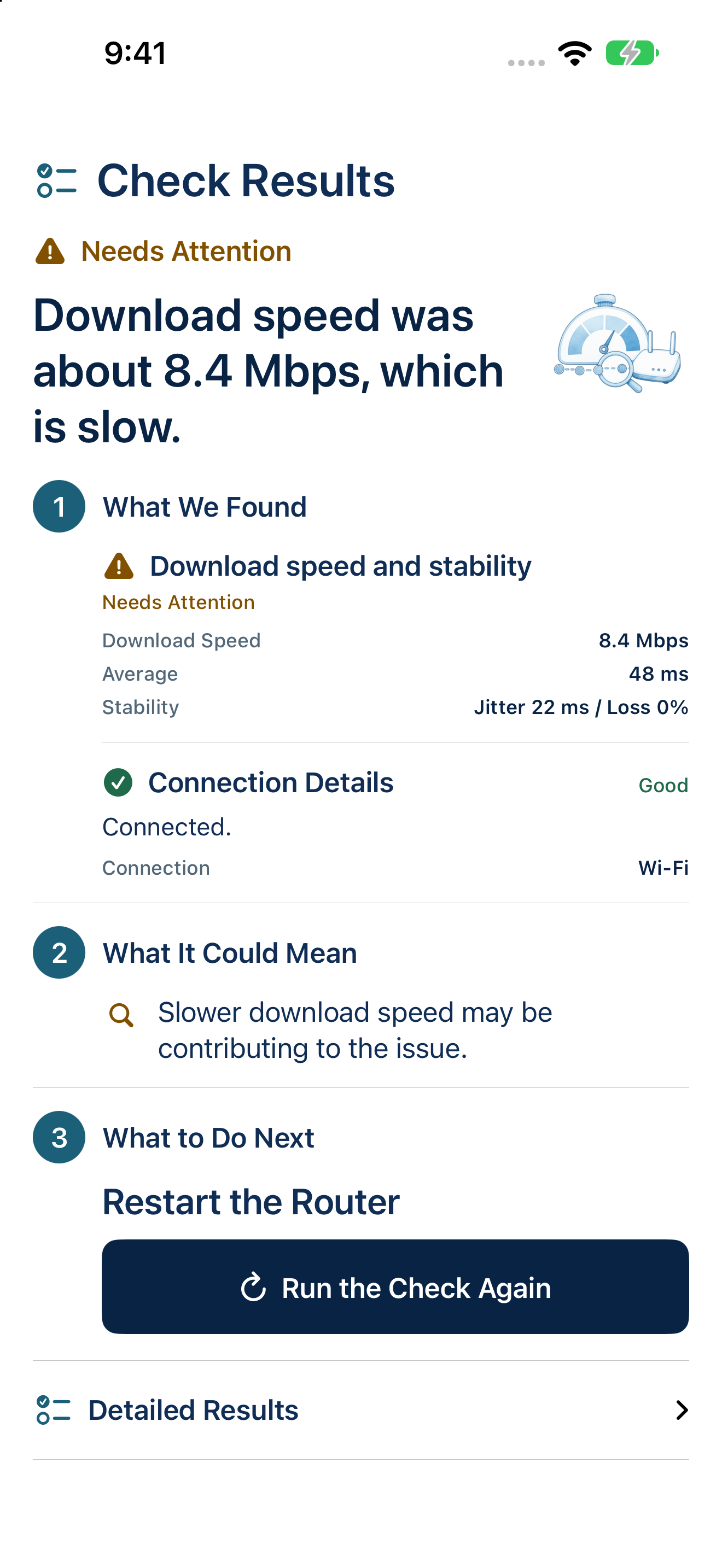
The App Store lists the app as “Net Trouble Checker: WiFi Test”.
01 / FROM CHECK TO NEXT STEP
Measure your connection.
Find the next thing to try.
Diagnostics, individual tools, manual public Wi-Fi checks, history, and shared reports are free. One purchase removes ads and includes Wi-Fi automatic checks while the app is in the foreground. Existing purchasers pay nothing more.
Automatic checks require the purchase and the setting to be on. They pause during other diagnostics or measurements and when the app is in the background.
- 01Start with a symptom
Choose slow internet, a site that will not open, or a missing local device. The app checks relevant conditions and organizes possible causes and steps you can try.
- 02Use focused tools
Check download speed, DNS, LAN devices, Ping, and internet access individually. Public Wi-Fi also offers a free manual connection check and guidance to a login page. You complete any sign-in and accept terms yourself.
- 03Follow Ping over time
Short TCP connections measure response time, jitter, and loss. The graph and assessment update with the latest 20 measurements while the result screen is in the foreground. Measurement stops when you leave that screen or the app.
- 04Revisit recent checks
The latest 50 diagnosis results are saved automatically on your device. Open History to view, rerun, or share a result, and delete individual entries or all history.
02 / PRIVACY
Your results and history
stay on your device.
Diagnosis results and history are not automatically sent to the developer’s server. Shared text reports redact IP and MAC addresses, the estimated router, hostnames and DNS names, and LAN device names. You choose where to share them.
The app makes network requests for diagnostics and ads. Optional usage sharing can be changed in Settings; it excludes detailed diagnosis text, history records, and measured values. Public Wi-Fi names and check results are not saved to history or reports. Optional location permission can obtain the Wi-Fi name without collecting coordinates; manual connection checks remain available without it.
03 / SCOPE
Clues to help you decide
what to check next.
Speed checks download up to about 8 MB or for five seconds. Ping uses short TCP connections. Results vary with the time, network, and destination, and LAN discovery may be incomplete. The app does not guarantee faster internet, detection of every cause or device, or automatic repairs.
Network Trouble Checker